Microsoft Teams review
Bottom line
Teams is the right meeting and chat tool for almost any organisation already paying for Microsoft 365, because it is included and wired into Outlook, SharePoint, OneDrive and Entra ID. Teams Essentials at $4 per user is the cheapest standalone paid meetings plan from a major vendor. It is heavier than Zoom or Slack, external guests still struggle with the join flow, and the features people associate with Teams (webinars, Phone, Copilot summaries) require higher licences or add-ons.
What is Microsoft Teams?
Teams is the meeting and chat hub inside Microsoft 365. If your company already pays for Business Basic or Standard, Teams is included and tied to Outlook calendars, SharePoint files and Entra ID security; that integration is the reason most organizations pick it. Teams Essentials is the standalone plan for small businesses that only want meetings and chat without the Office apps: up to 300 participants, 30-hour meetings, 10 GB of storage per user. Webinars, town halls, Teams Phone and Copilot summaries sit on the higher Microsoft 365 or add-on licenses. The free version covers 60-minute meetings for up to 100 people.
Who it's for
- Organisations on Microsoft 365 that want meetings, chat and files in one place
- Small businesses that need unlimited meetings for $4 per user without Office apps
- Companies that need enterprise security and compliance controls
Who should look elsewhere
- Businesses whose clients and partners mostly use other tools; Zoom is easier for guests
- Teams that want a light, fast chat app (Slack) and don't need Microsoft 365
- Small businesses that want AI meeting summaries included; Copilot is extra
Typical uses
- Internal meetings and channel-based collaboration tied to Outlook and SharePoint
- Standalone video meetings and chat for a small business (Essentials)
- Webinars and town halls (Business Standard and above)
- Phone system replacement with Teams Phone (add-on)
Key features, tested
Meetings
Scheduled and instant meetings with screen sharing, breakout rooms, live captions, recording to OneDrive or SharePoint and Together mode. Essentials allows 300 participants and 30-hour meetings.
Chat and channels
Persistent channels per team with threaded conversations, file tabs backed by SharePoint, and apps embedded as tabs. It is the strongest part of Teams for organisations that live in Microsoft 365.
Microsoft 365 integration
Outlook calendar, OneDrive files, Planner tasks, Loop components and Power Automate flows all surface inside Teams; single sign-on and security policies come from Entra ID.
Copilot and AI
Intelligent recap, meeting notes and chat summaries require the Microsoft 365 Copilot add-on (about $30 per user per month). Live captions and transcription are included on paid plans.
Phone, webinars and rooms
Teams Phone (add-on) turns Teams into a PBX; webinars with registration arrive on Business Standard; Teams Rooms hardware equips conference rooms.
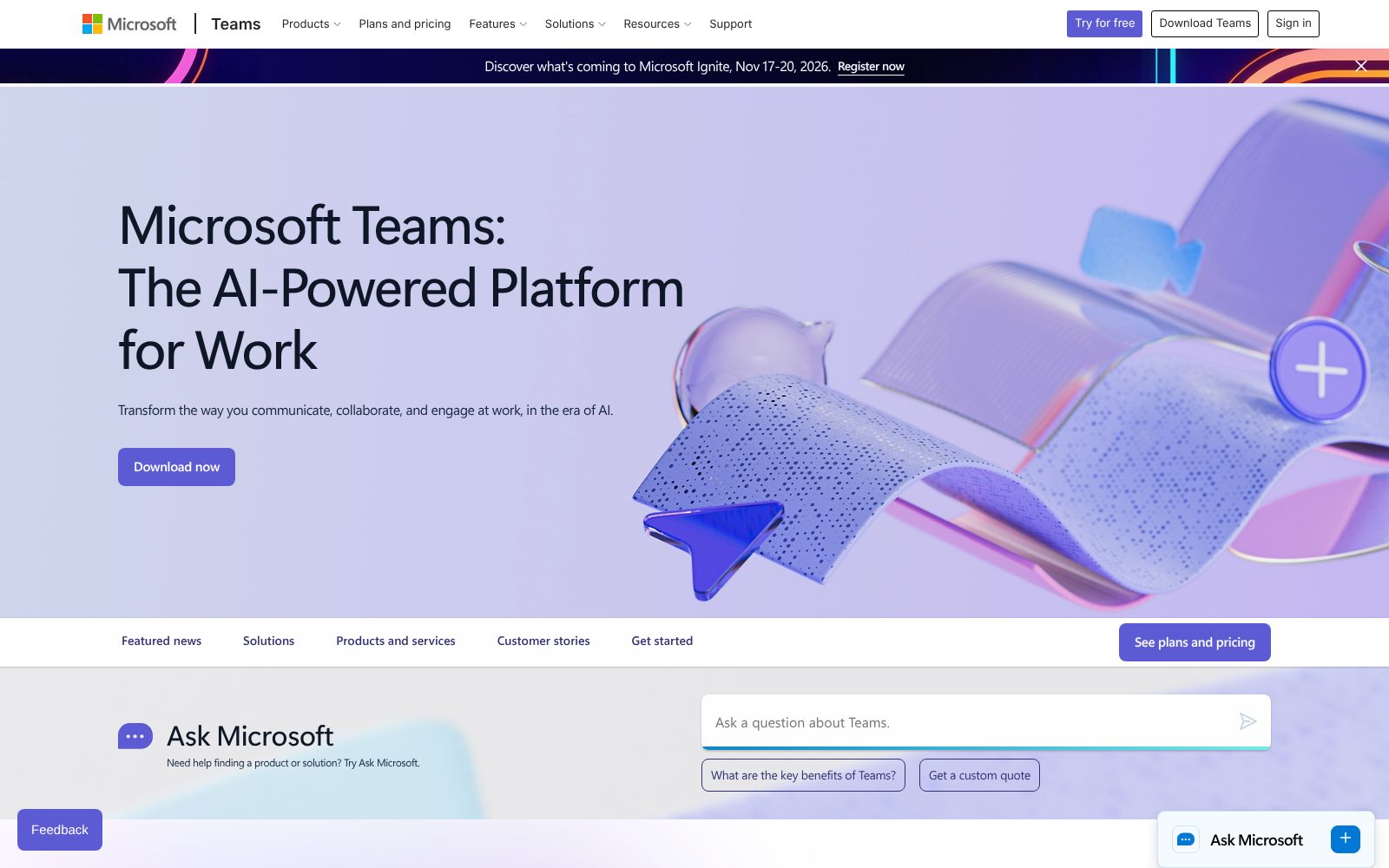
Screenshots
Microsoft Teams pricing 2026
Teams (free)
60-minute meetings for up to 100 people, chat and 5GB storage.
- 60-minute group meetings
- 100 participants
- Unlimited chat
- 5GB cloud storage
- File sharing and tasks
Teams Essentials
Standalone meetings and chat for small businesses without Office apps.
- 30-hour meetings
- 300 participants
- 10GB storage per user
- Phone and web support
- Unlimited group meetings
Microsoft 365 Business Basic
Teams plus web and mobile Office apps, Exchange email and 1TB OneDrive.
- Teams included
- Web and mobile Office apps
- Business email (Exchange)
- 1TB OneDrive
- SharePoint
Microsoft 365 Business Standard
Adds desktop Office apps, webinars and collaborative workspaces.
- Desktop Office apps
- Webinars with registration
- Collaborative workspaces (Loop)
- Everything in Basic
What the sticker price leaves out. Teams Essentials ($4) is meetings and chat only, with no email or Office apps. Business Basic ($6) is usually the better buy because it adds Exchange email and OneDrive. In the EU, Microsoft 365 plans are sold without Teams and Teams is purchased separately. Copilot and Teams Phone are add-ons. Prices require annual commitment.
Starting price is 72% below the category median for Video Conferencing tools we list (median $14.16/user/mo). Prices checked October 31, 2026; confirm on the vendor's pricing page before buying.
Video Conferencing feature checklist 7 of 8
The features buyers in this category ask for most, and whether Microsoft Teams includes them on a plan you can actually buy. Percentages show how many video conferencing buyers call each one essential.
Missing: AI meeting summaries. See alternatives that cover these.
Microsoft Teams integrations 18 listed
Apps Microsoft Teams connects to, as published by the vendor and checked by us. Native integrations sync directly; others go through a connector such as Zapier or webhooks. Click a logo to read our review of that product.
Microsoft Teams has a public API and a Zapier app, so apps not listed here can usually be connected with a developer or a no-code automation tool.
Deployment, support and company details
Deployment
- Windows app
- Mac app
- iOS app
- Android app
- Web client
- Teams Rooms hardware
Platforms
- Web
- Mac
- Windows
- iOS
- Android
- App Store ↗
- Google Play ↗
Support
- Phone and web support (paid plans)
- Microsoft Learn documentation
- Community
- Microsoft 365 admin support
Training
- Microsoft Learn
- Teams adoption resources
- Webinars
- Partner-led onboarding
Typical customers
- Small businesses
- Mid-size companies
- Enterprises
- Education
- Government
Industries
- Professional services
- Education
- Healthcare
- Government
- Financial services
- Manufacturing
Languages
- English, Spanish, French, German, Portuguese, Japanese, Chinese, Korean and 3 more
Security & compliance
- SOC 1, 2 and 3
- ISO 27001 and 27018
- GDPR
- HIPAA
- FedRAMP
- Microsoft Entra ID SSO and MFA
- Data loss prevention (Microsoft 365)
Buying details
- Annual commitment
- Monthly billing available on annual plans
- Add-ons for Phone and Copilot
- Typical setup: Same day for Essentials; 1–2 weeks with Microsoft 365 migrat
- Public API: Yes
Vendor
- Founded 2017
- Redmond, WA
- 200,000+ employees
- Microsoft
- microsoft.com ↗
Microsoft Teams pros and cons
Pros
- Included with most Microsoft 365 business plans; Essentials is only $4/user/month
- Deep ties to Outlook, SharePoint, OneDrive and Entra ID security
- Channels, files and meetings in one app reduce tool sprawl
Cons
- Heavier and slower than Zoom or Slack, especially on older hardware
- Copilot meeting summaries, webinars and phone need extra licenses
- External guests on other platforms often struggle with the join flow
Microsoft Teams user reviews
No published reviews yet. Be the first.
Microsoft Teams alternatives and comparisons
Best for customer-facing meetings where the other side may not be on the same platform
$14.16/user/mo · free plan
All Microsoft Teams alternatives · Best video conferencing software 2026
Microsoft Teams FAQ
Is Microsoft Teams free?
Yes, the free version allows unlimited chat and group meetings up to 60 minutes with 100 participants and 5GB of storage. Teams Essentials ($4 per user per month) removes the time limit and raises capacity to 300.
What is the difference between Teams Essentials and Microsoft 365 Business Basic?
Essentials is Teams alone (meetings, chat, 10GB storage). Business Basic costs $2 more and adds business email through Exchange, 1TB OneDrive, SharePoint and web and mobile versions of Word, Excel and PowerPoint.
Does Teams include Copilot?
No. Live transcription and captions are included on paid plans, but Copilot features such as intelligent recap and meeting notes need the Microsoft 365 Copilot add-on.
Can people without Teams join a meeting?
Yes, guests can join from a browser without an account, though the join flow is less smooth than Zoom's and some features are limited for anonymous participants.
How much does Microsoft Teams cost?
Microsoft Teams has a free plan and paid plans start at $4/user/mo. Plans: Teams (free) (Free), Teams Essentials ($4, /user/mo, paid yearly), Microsoft 365 Business Basic ($6, /user/mo, paid yearly), Microsoft 365 Business Standard ($12.50, /user/mo, paid yearly).
What are the best alternatives to Microsoft Teams?
In Video Conferencing, the closest alternatives we rate are Zoom (85/100). See the full list of Microsoft Teams alternatives for a side-by-side comparison.
Related categories
How we reviewed Microsoft Teams
We score every product on four weighted criteria: ease of use (25%), features (30%), value (25%) and support (20%), from hands-on testing of the plans buyers can actually purchase, the vendor's published pricing and documentation, and verified user reviews. Vendors cannot pay for a higher score or a better rank; paid placements are labelled. This review was last updated on October 31, 2026. Read the full methodology.