Workiz review
Bottom line
Workiz stands out among field service tools for its communication layer: a built-in phone system that records and attributes calls, texting from the job record, and AI add-ons that answer missed calls. For locksmiths, appliance repair, garage door and junk removal companies that live on inbound calls, that is the feature that matters. The downsides are opaque pricing (every plan is a sales call), automation caps per plan, and reporting that trails Jobber and Housecall Pro.
What is Workiz?
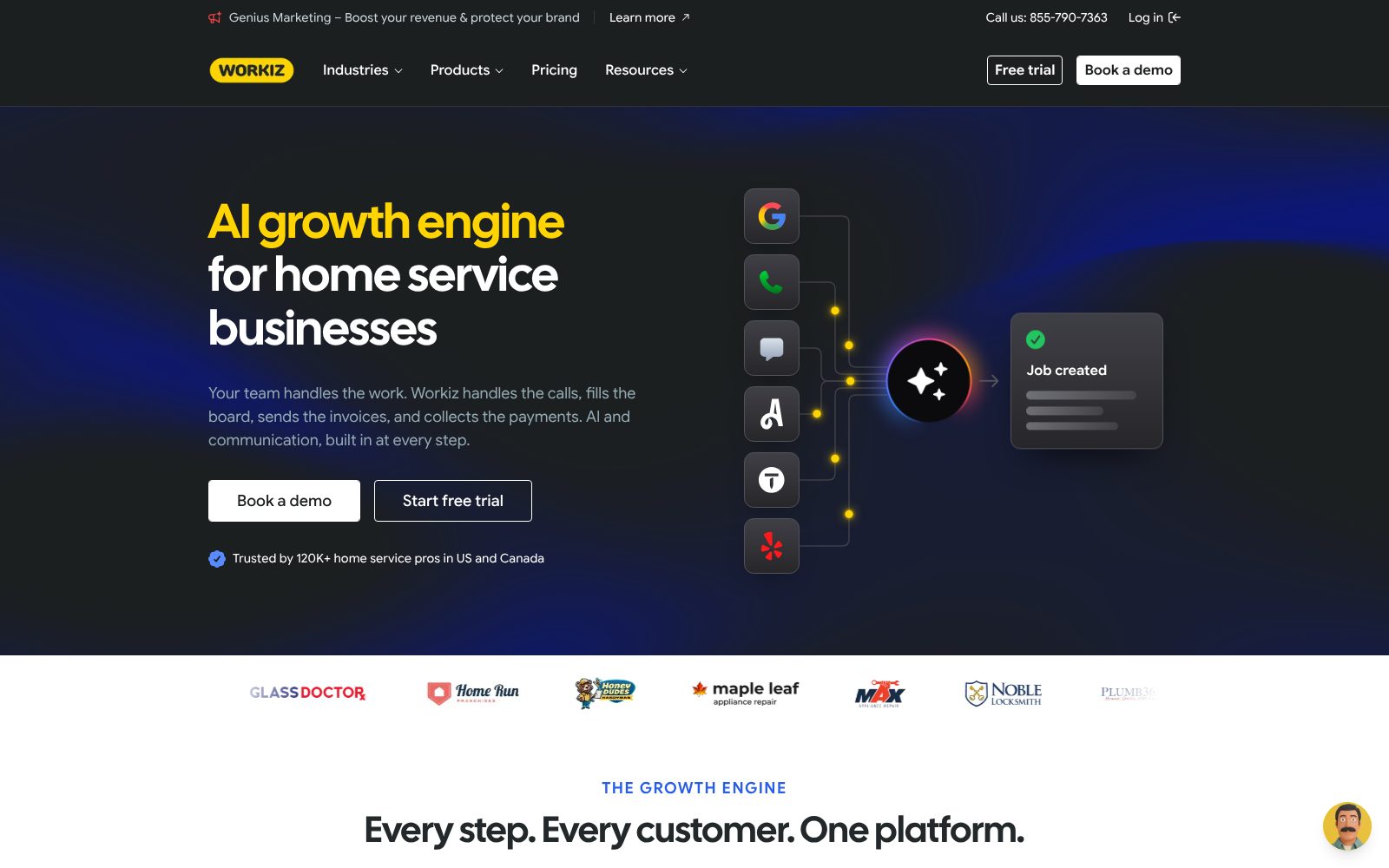
Workiz covers the office side of a service business: scheduling and dispatch, estimates, invoices, online payments, and a customer-facing booking page. What sets it apart is the communication layer. The built-in phone system records and attributes calls, texts go out from the same job record, and its "Genius" add-ons answer missed calls and surface leads. Three plans gate the number of automations and the heavier features (inventory, franchise management, service plans). Pricing is quote-only, so budget for a sales call before you can compare it line by line with Jobber or Housecall Pro. It fits locksmiths, appliance repair, garage door, junk removal and similar dispatch-heavy trades that live on inbound calls.
Who it's for
- Dispatch-heavy trades that want call tracking and texting inside the job software
- Businesses that advertise on multiple channels and need to know which calls came from where
- Owners who want AI to answer missed calls and book jobs
Who should look elsewhere
- Anyone who wants to compare prices before a sales call
- Teams that need many automations on the lower plans
- Businesses with complex reporting needs
Typical uses
- Taking inbound calls, creating the job and dispatching from one screen
- Tracking which ads and directories generate booked jobs
- Recurring service plans for maintenance contracts
- Franchise or multi-location management on the top plan
Key features, tested
Built-in phone and call tracking
Workiz Phone provides tracking numbers, call recording, IVR and routing, with every call attached to a client or lead. It is the closest thing to CallRail inside a field service tool, and the reason many call-driven trades choose it.
Scheduling and dispatch
Calendar and map dispatch, service areas, technician availability and drag-and-drop assignment. Genius Scheduling (Pro+) suggests the best slot based on location and workload.
Estimates, invoices and payments
Estimates with signatures, invoices from the job, Workiz Pay for cards and consumer financing. Flat-rate pricing books and sales proposals arrive on Ultimate.
Automations and Genius add-ons
Automations (5/10/30 by plan) handle reminders, follow-ups and review requests. Genius Answering and Genius Leads use AI to answer missed calls, qualify leads and book jobs for a monthly fee.
Inventory, service plans and franchise tools
Ultimate adds inventory tracking, recurring service plans, multi-day jobs and franchise management, which make it viable for larger or multi-location operators.
Screenshots
Workiz pricing 2026
Standard
Core scheduling, invoicing, online payments, 5 automations, client management.
- Scheduling, jobs, estimates, invoices
- Online payments
- 5 automations
- Service areas and custom fields
- QuickBooks integration
Pro
Adds performance pay, 10 automations, Genius leads and scheduling, custom reports.
- 10 automations
- Performance pay
- Genius leads and scheduling
- Custom reports
Ultimate
30 automations, service plans, sales proposals, inventory, flat rate, franchise tools, open API.
- 30 automations
- Service plans and sales proposals
- Inventory management
- Franchise management
- Open API
What the sticker price leaves out. Workiz no longer publishes prices; expect a quote by team size and plan. Third-party reports put entry pricing around the $200-plus per month range for small teams, with the phone system, Genius AI features and extra users billed on top. A 7-day free trial is available without a card.
Field Service feature checklist 7 of 8
The features buyers in this category ask for most, and whether Workiz includes them on a plan you can actually buy. Percentages show how many field service buyers call each one essential.
Missing: Route optimization. See alternatives that cover these.
Workiz integrations 11 listed
Apps Workiz connects to, as published by the vendor and checked by us. Native integrations sync directly; others go through a connector such as Zapier or webhooks. Click a logo to read our review of that product.
Workiz has a public API and a Zapier app, so apps not listed here can usually be connected with a developer or a no-code automation tool.
Deployment, support and company details
Deployment
- Cloud / SaaS
- iOS app
- Android app
Platforms
- Web
- iOS
- Android
- App Store ↗
- Google Play ↗
Support
- Live chat
- Phone
- Help center
Training
- Documentation
- Video tutorials
- Onboarding sessions
- Webinars
Typical customers
- Small businesses
- Mid-size companies
- Franchises
Industries
- Locksmith
- Appliance repair
- Garage door
- Junk removal
- HVAC
- Electrical
- Carpet cleaning
- Moving
Languages
- English
- Spanish
Security & compliance
- Two-factor authentication
- PCI-compliant payments
- Role-based permissions
Buying details
- Monthly
- Annual
- Quote per business
- Typical setup: 1–2 weeks with onboarding
- Public API: Yes
Vendor
- Founded 2015
- San Diego, CA
- 200+ employees
- workiz.com ↗
Workiz pros and cons
Pros
- Phone, SMS and call recording are built in, so every call is tied to a job or lead
- Automations handle reminders, follow-ups and review requests without a third-party tool
- Customer booking page, estimates and online payments come on the base plan
Cons
- No published pricing; every plan is "request pricing" and the phone service is billed on top
- Automation counts are capped per plan (5 / 10 / 30)
- Reporting is thinner than the bigger field-service platforms
Workiz user reviews
No published reviews yet. Be the first.
Workiz alternatives and comparisons
Best for small home-service businesses that want simple scheduling and invoicing
$29/mo · 14-day trial
Best for service businesses that want online booking and marketing built in
$59/mo · 14-day trial
Workiz FAQ
How much does Workiz cost?
Workiz does not publish prices. Each plan (Standard, Pro, Ultimate) shows a Request Pricing button and pricing is quoted per business. Budget for the plan plus the phone system and any Genius AI add-ons.
Does Workiz include a phone system?
Yes. Workiz Phone adds tracking numbers, call recording, routing and SMS, billed as an add-on with included minutes and messages per plan.
Workiz or Jobber?
Jobber publishes prices, has the smoother quoting and client-hub experience and is cheaper for small teams. Workiz wins if call tracking, SMS and AI call answering inside the job software are the priority.
Does Workiz integrate with QuickBooks?
Yes. QuickBooks Online sync for clients, invoices and payments is available on all plans.
Is there a free version of Workiz?
No. Workiz has no free plan, but offers a 7-day trial so you can test it before paying.
What are the best alternatives to Workiz?
In Field Service, the closest alternatives we rate are Jobber (84/100), Housecall Pro (83/100). See the full list of Workiz alternatives for a side-by-side comparison.
Related categories
How we reviewed Workiz
We score every product on four weighted criteria: ease of use (25%), features (30%), value (25%) and support (20%), from hands-on testing of the plans buyers can actually purchase, the vendor's published pricing and documentation, and verified user reviews. Vendors cannot pay for a higher score or a better rank; paid placements are labelled. This review was last updated on October 31, 2026. Read the full methodology.